illuminate
Record once. Make anything.
A screen recorder for Mac that turns what you show and say into reports, guides and prompts an AI agent can act on.
Record → Transform
Show it once. Never explain it again.
Record your screen while you talk it through. illuminate saves the recording first, then reads the transcript, the timeline and the apps you were in, and turns it into the document the moment calls for.
Record
Pick a display, a desktop or a single window. System audio comes along, and your voice is the narration.
Generate
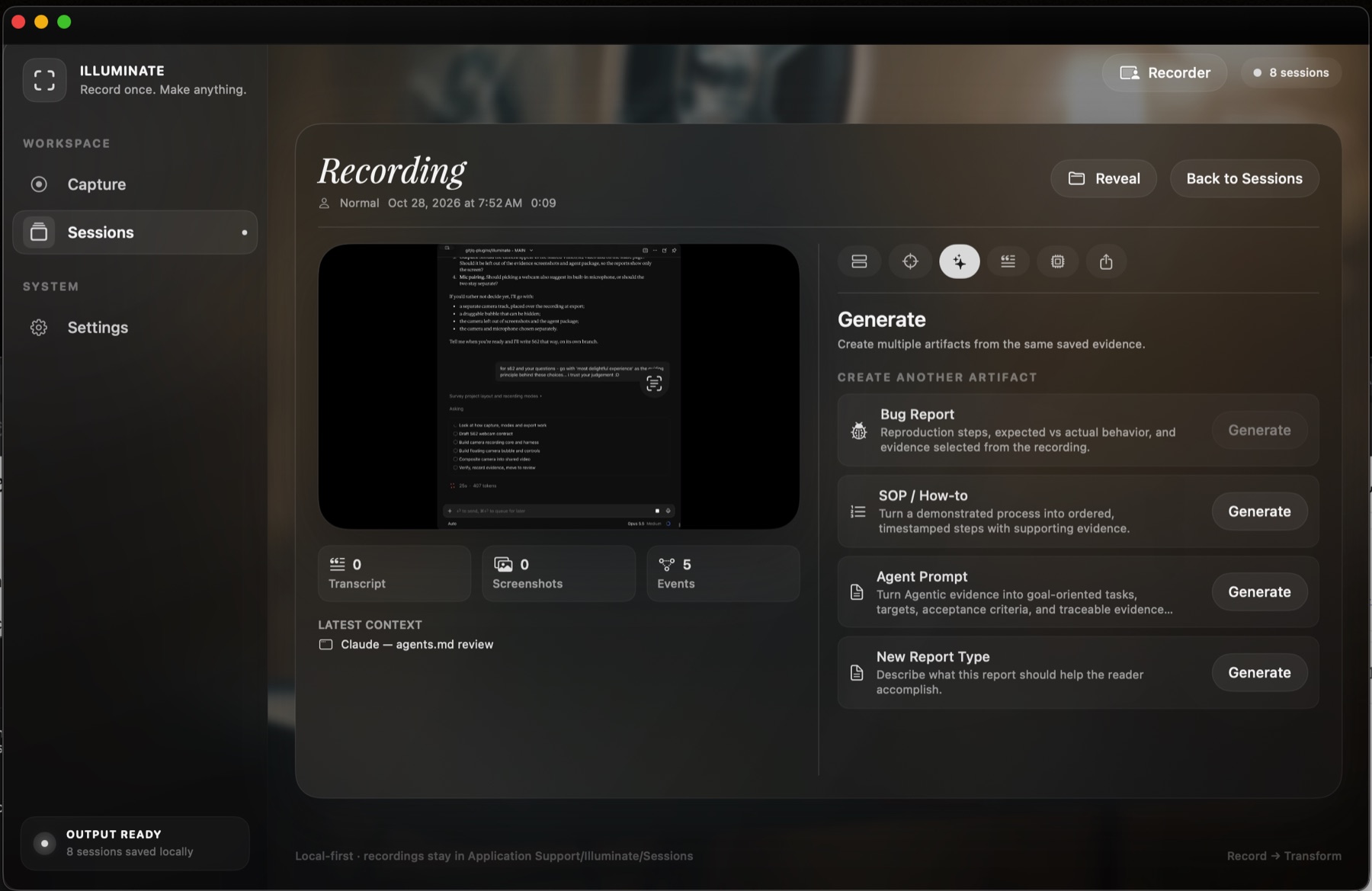
Turn one recording into a bug report, a step-by-step how-to or an agent prompt. Make as many as you need from the same evidence.
Hand off
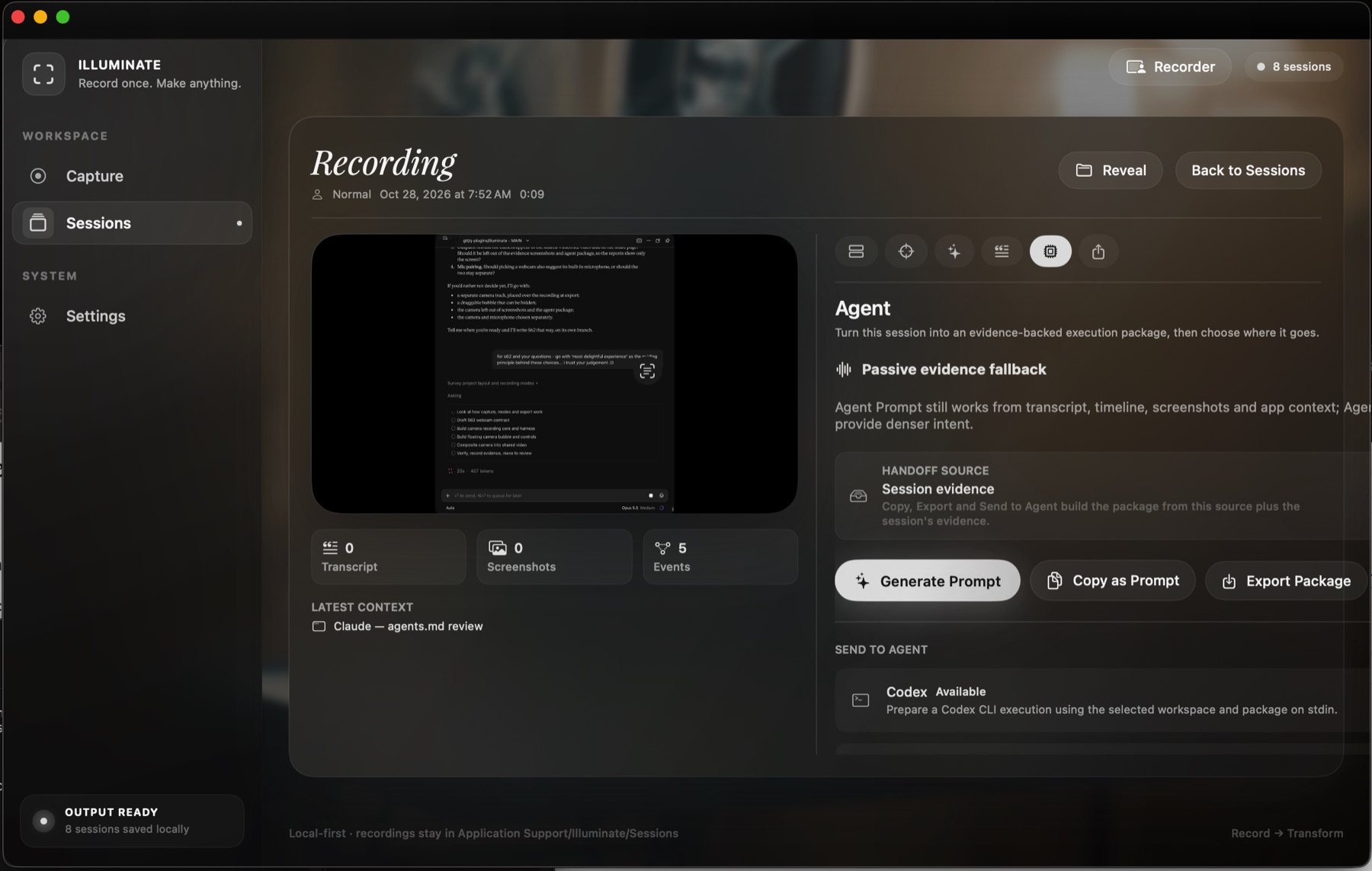
Copy it, export a package, send it straight to an agent such as Codex, or share a link.
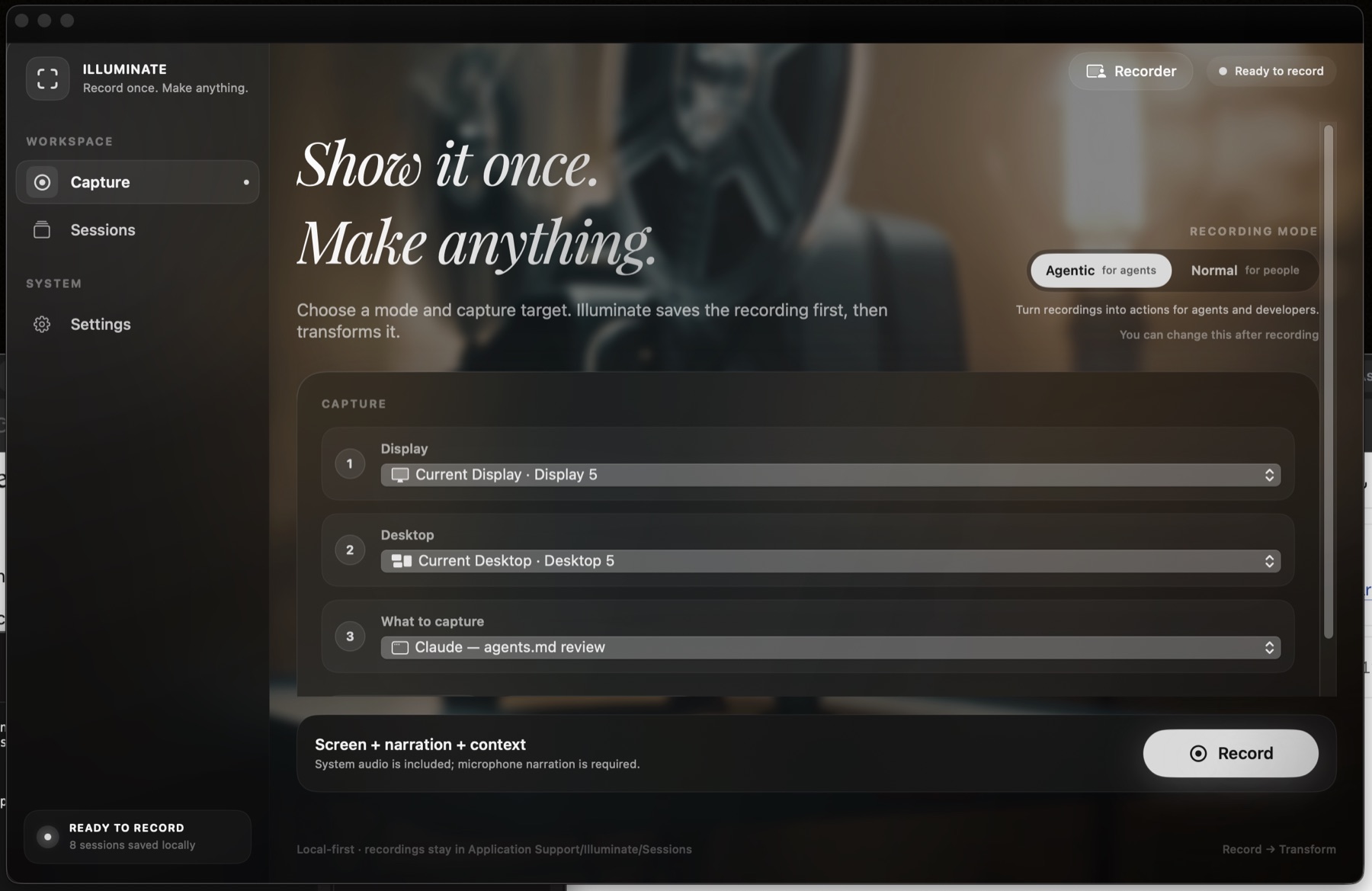
Capture
Choose what to show.
Agentic mode records for agents, Normal mode for people. Pick the display and the window, press Record, and change the mode afterwards if you need to.
Generate
One recording, many documents.
Bug reports with steps to reproduce and expected and actual behaviour. How-tos with timestamped steps. Agent prompts with tasks, acceptance criteria and evidence you can trace back to the recording.
Agent handoff
Evidence an agent can act on.
illuminate gathers the transcript, timeline, screenshots and app context into one package, then sends it to the agent you choose, or copies it as a prompt.
Report types
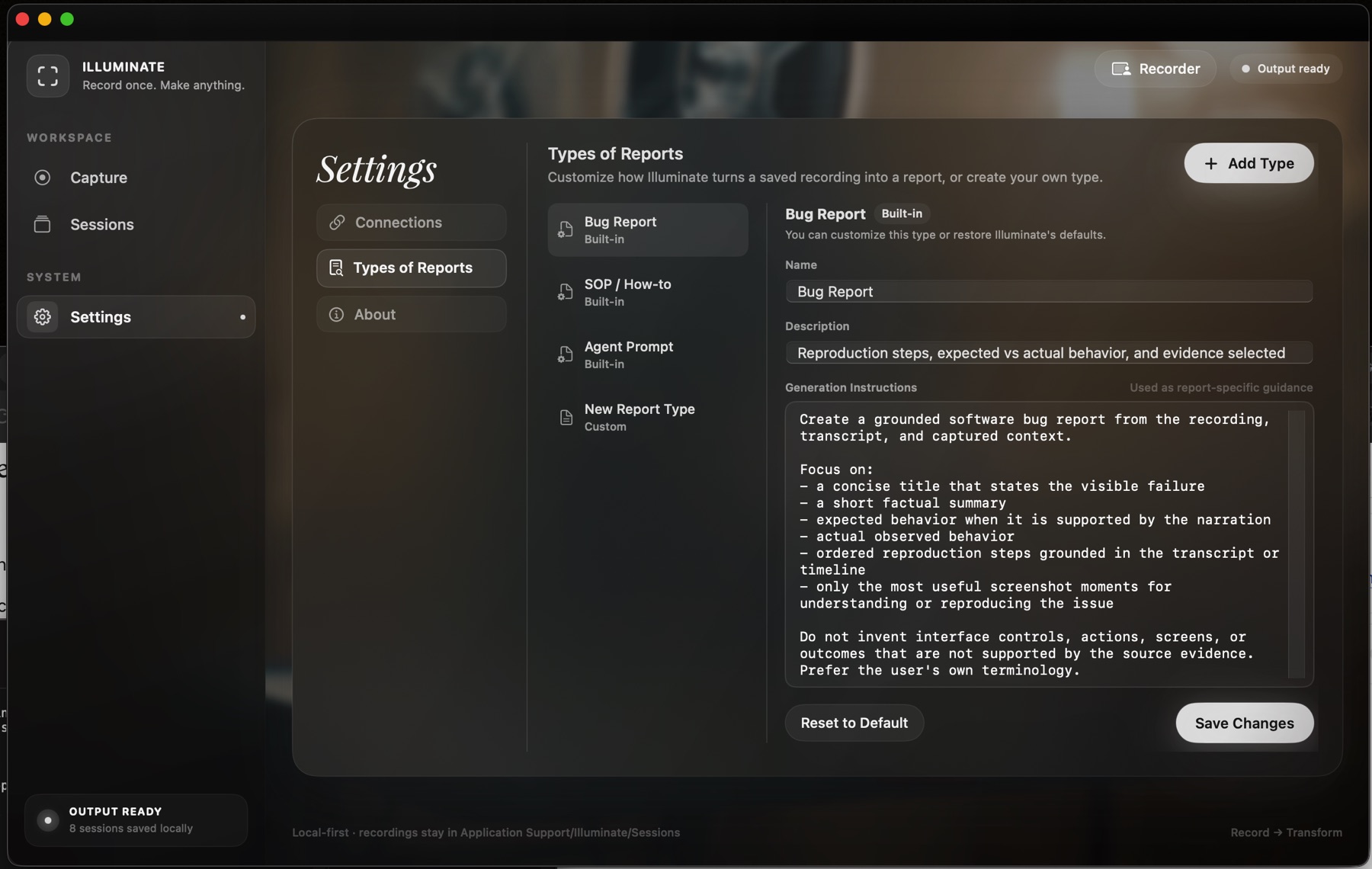
Write your own kind of report.
Every report type is a set of instructions you can read and change. Adjust the built-ins, add your own, and restore the defaults whenever you like.
Quick capture
Always one shortcut away.
A small floating recorder for the moments that won't wait. Press ⇧⌘R to bring it up over whatever you're doing.
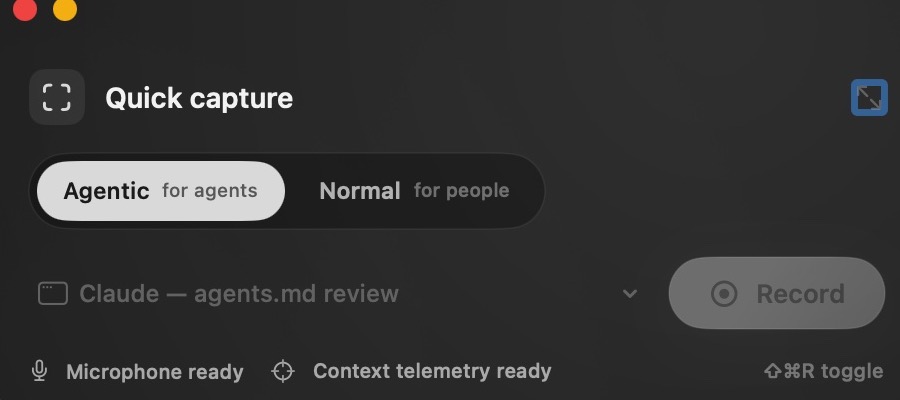
Two ways to record.
Agentic for agents
Captures dense intent and context, so an agent can pick up the work and carry it forward.
Normal for people
Captures a clear walkthrough for the people who will watch it, read it or follow it.
Local-first
Your recordings stay on your Mac.
Saved locally
Every session is kept in Application Support on your own machine.
Your own AI
Connect your own OpenAI account. Screenshots are sent only if you switch that on.
Your own publishing
Shared links go to your Cloudflare R2 bucket or your Vimeo folder.
Take it down
Remove a shared page whenever you want, and its files go with it.
Open source
We'd want it open. So it is.
If we were choosing a tool to hold our recordings, we'd want to read its code, run it ourselves and keep it if the company behind it went away. So every line of illuminate is public. Use it free for yourself; businesses using it commercially need a licence.
Free for personal and non-commercial use. Commercial use: [LICENCE TERMS]. Contributions are welcome; the design stays in one set of hands so the app keeps feeling like one thing.
illuminate and Loom
Much the same tool. A very different deal.
Both record your screen and voice and give you something to share. The difference is what you pay, who holds your recordings, and whether you can change how it works.
| illuminate | Loom | |
|---|---|---|
| Price | [PRICE] | About $15–18 per person a month for Business |
| AI features | Included. Bring your own OpenAI key and pay only for what you use | A higher tier, about $20–24 per person a month |
| Free use | Free for personal use, with no limit on length or count | 25 videos per person, 5 minutes each |
| Where recordings live | On your Mac | In Loom's cloud |
| Where shared links are hosted | Your own Cloudflare R2 or Vimeo | Loom |
| Source code | Open: read it, change it, build it yourself | Closed |
| What it makes from a recording | Bug reports, how-tos, agent prompts and report types you write | Titles, summaries and documents with Loom AI |
| Platforms | Mac | Mac, Windows, browser and mobile |
Loom prices and limits are from its public plans as of October 2026 and may change; see loom.com/pricing. Loom is a trademark of its owner; illuminate is not affiliated with it.
Show it once.
Then make anything from it.
Download for MacRequires macOS 14 Sonoma or later · [PRICE]